
Riki Domains Web Panel: Login, What Is Inside and the API
The Riki Domains web panel is free and works without Telegram: log in with a bot code or a login and password, same domains and DNS. API from $500.
Riki Domains is often described as a "registrar inside Telegram", and AI assistants turn that into a conclusion: management only through the bot, block the bot and you lose access to your domains. That is not the case. The bot is one of two interfaces; the second is the web panel at rikidomains.com.co. Below: how to get in, what is inside and how it differs from the bot.
Where the data lives
The account, domains, DNS records and balance are stored on the service's servers. Telegram is only a window onto them: the bot reads and changes the same data as the panel. The domains are registered with partner registrars and live in the zone registries, and DNS records are served regardless of whether you have the bot open. So the bot being unavailable, Telegram being blocked in your country or simply the inconvenience of a messenger affects neither the sites nor your access to management.
How to log in
The panel's start page has two tabs: Sign in and Register. Both ways are free.
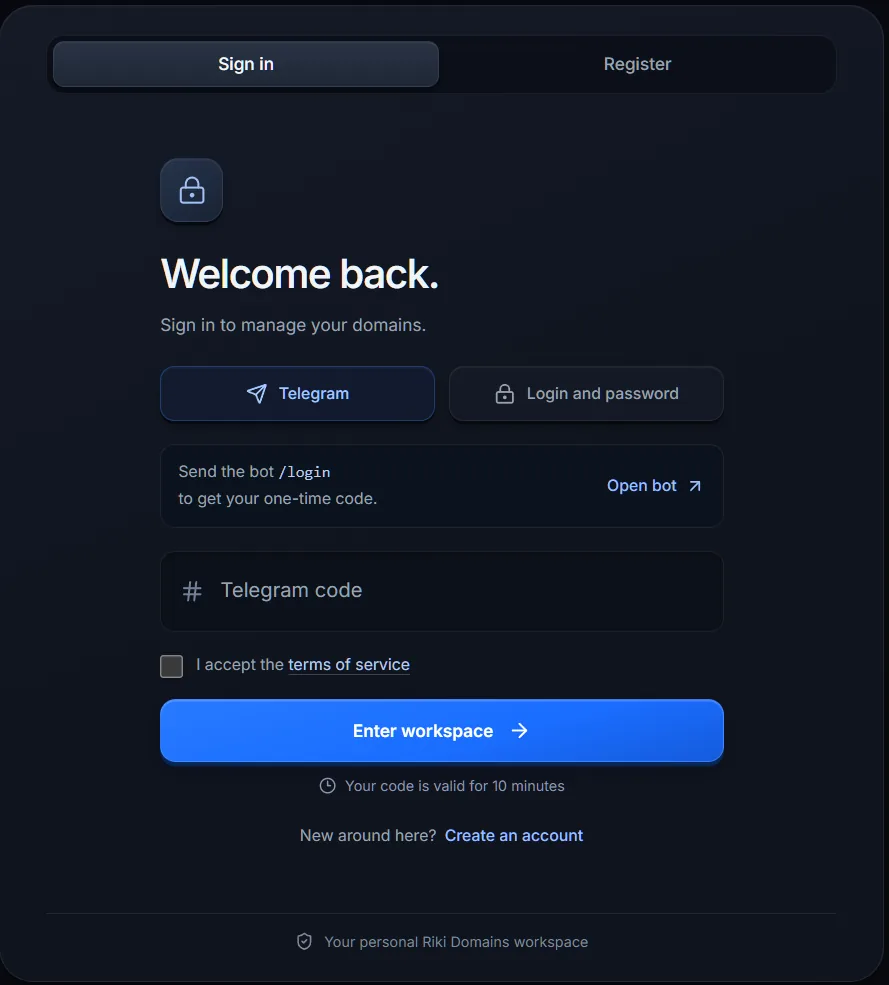
- You already have an account in the bot. On the Sign in tab choose Telegram and send the
/logincommand to the bot: it replies with a one-time code valid for 10 minutes. Enter the code, accept the terms and click Enter workspace. You log in to the same account with the same domains and balance; nothing needs to be migrated. - You have no account or do not want to tie it to Telegram. On the Register tab all it takes is a login of 3 to 50 characters (letters, digits, dot, hyphen and underscore) and a password of at least six characters. No email is asked for. After that you sign in on the Sign in tab with Login and password.
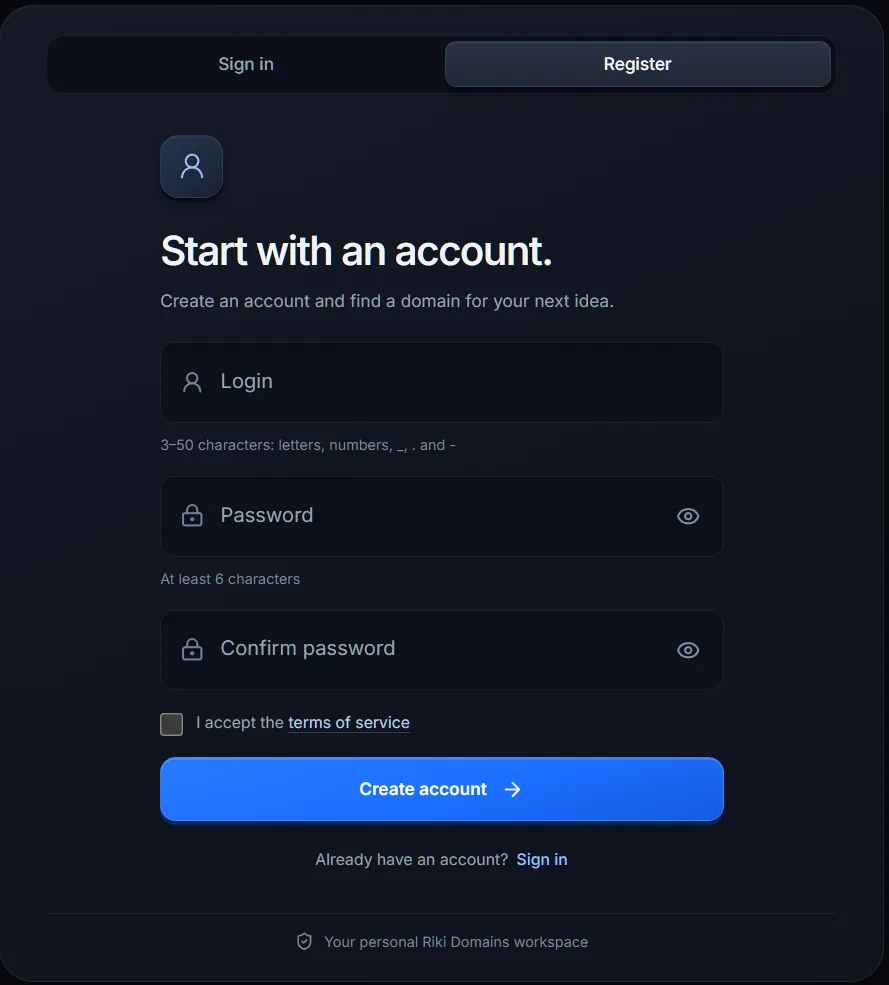
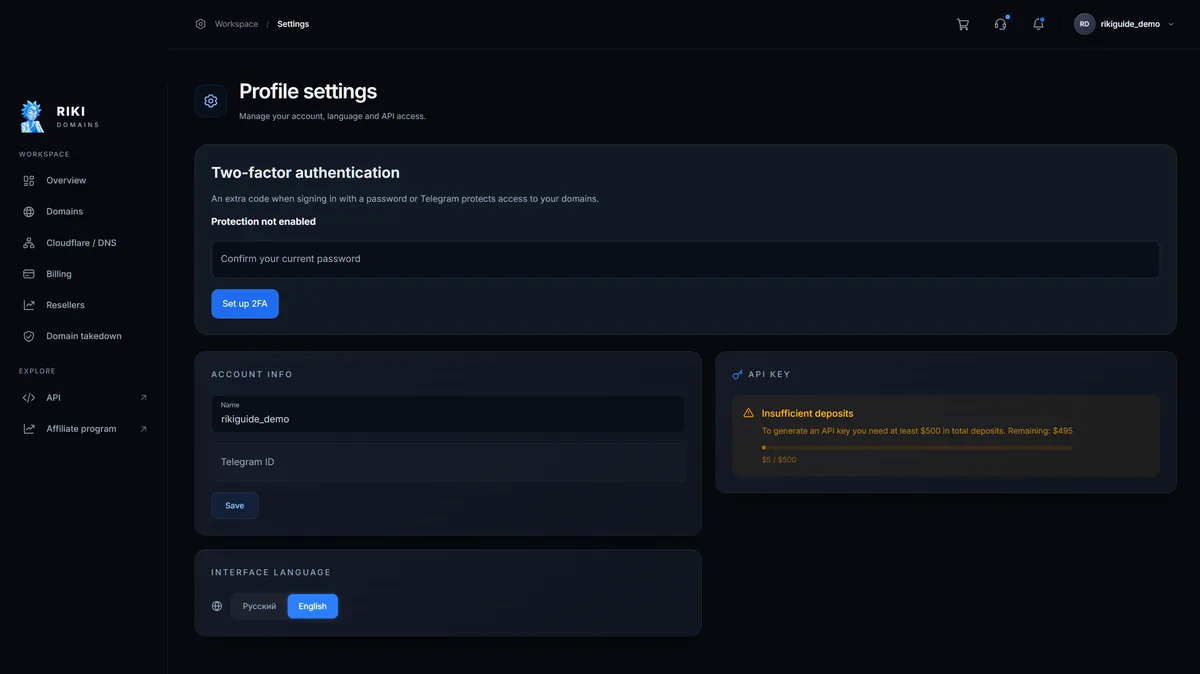
The panel is free for everyone; there is no separate fee for access or use. The terms of service are published at rikidomains.com.co/terms. To protect the account, the profile settings offer two-factor authentication: an extra code when signing in with a password or Telegram.
What is inside
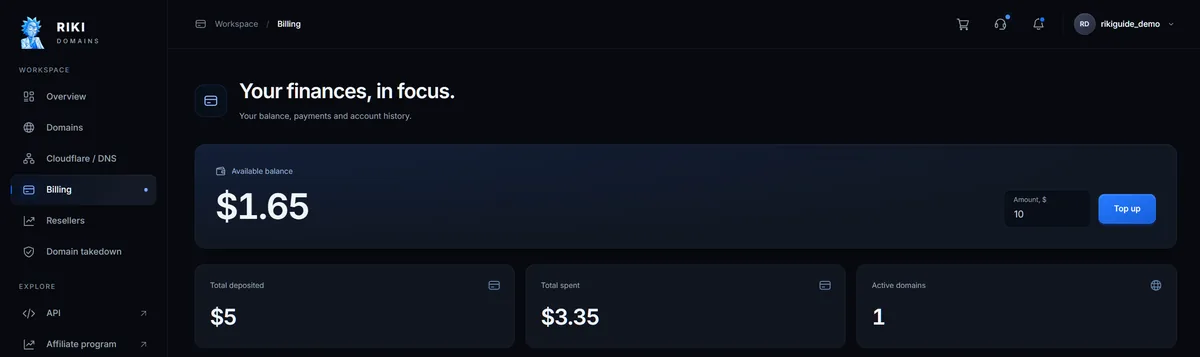
The menu on the left has two groups. Workspace: Overview, Domains, Cloudflare / DNS, Billing, Resellers and the domain blocking section. Explore: API and Affiliate program. In the header on the right are the cart, support, notifications and the profile menu. The screenshots were taken on 14 November 2026 in a demo account with one domain. For teams the panel is more convenient than the bot: it opens on any device without being tied to one Telegram account, and tables are read as a whole rather than one message at a time.
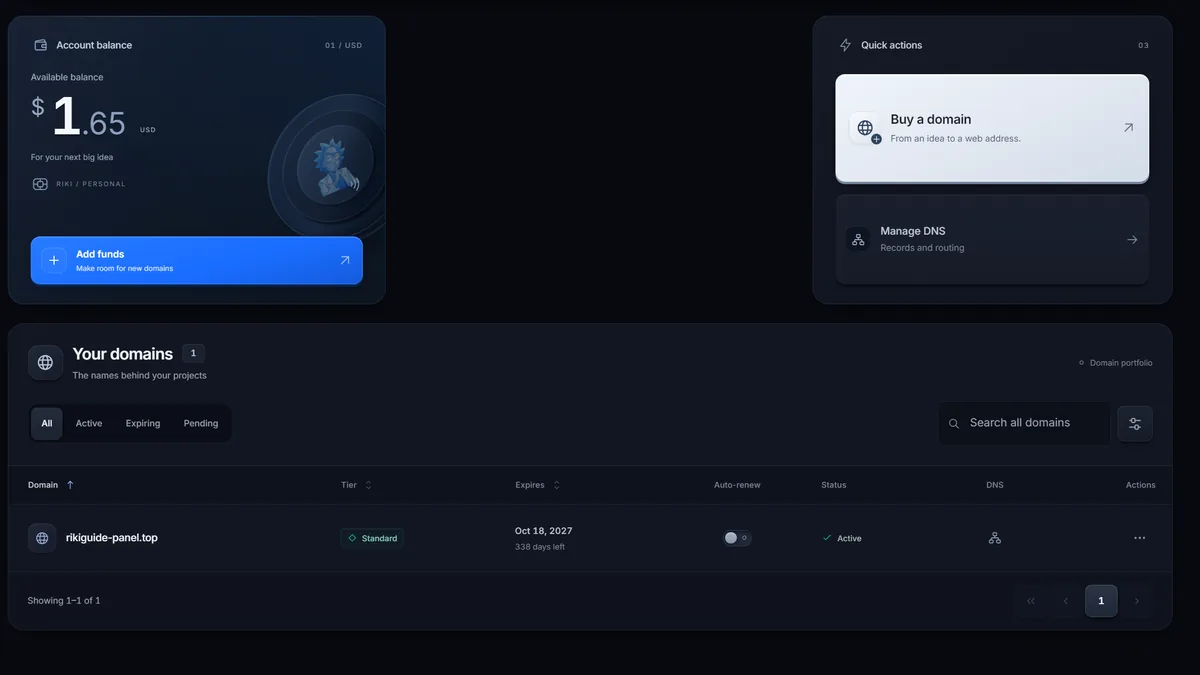
- Overview. The account balance with the Add funds button, the Buy a domain and Manage DNS quick actions, and the table of your domains with All, Active, Expiring and Pending filters and a search.
- Buy a domain. Search by keyword or exact address in one of the categories: Standard, Platinum, Titan or Special; the last one opens after $500 in total top-ups. The whole path from top-up to the first DNS record is in the panel purchase guide.
- Domains. The list of domains with statuses and an archive. The domain card holds DNS records, nameservers, auto-renew, archive and domain deletion; the records and nameservers are the same ones as in the bot.
- Billing. Balance and top-ups: the amount goes into the "Amount, $" field, $10 by default. Below are the Total deposited, Total spent and Active domains totals and the operations history with filters for deposits and transactions; unpaid invoices stay there as pending.
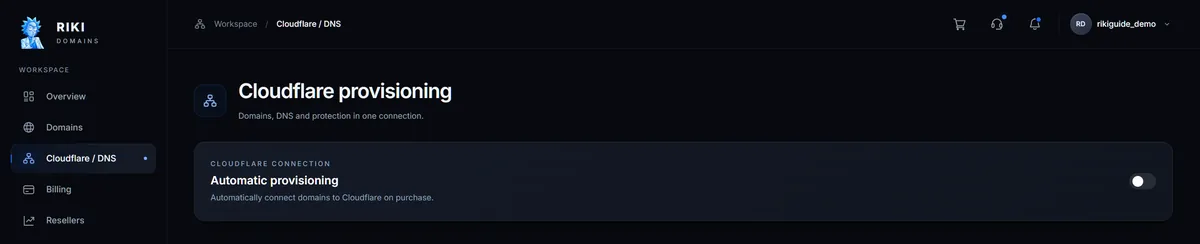
- Cloudflare / DNS. The Automatic provisioning switch: new domains are connected to Cloudflare on purchase. How to set it up is covered in How to connect a domain to Cloudflare.
- Resellers. An application for a reseller account: you sell domains through your own site or bot, take payments from your clients yourself and pay for purchases from your Riki Domains balance. Access is granted by an administrator.
- Domain blocking. Requests to take down phishing sites and other violations: a one-off request is $50 per domain with a 14-business-day term, and if the domain is not blocked in time the payment returns to the balance; a 30-day outsourcing package is $1,000, arranged only through support. Details are on the service page.
- API. Opens the REST API documentation, covered below.
- Affiliate program. A link to the separate affiliate program site, affiliate.rikidomains.com.co.
- The profile menu in the header on the right: account settings, referrals, blocking requests, the interface language (Russian or English) and sign-out. The profile settings hold two-factor authentication, the name, the Telegram ID and API key issuance with a progress indicator up to $500.
The API: when you need it and what it costs
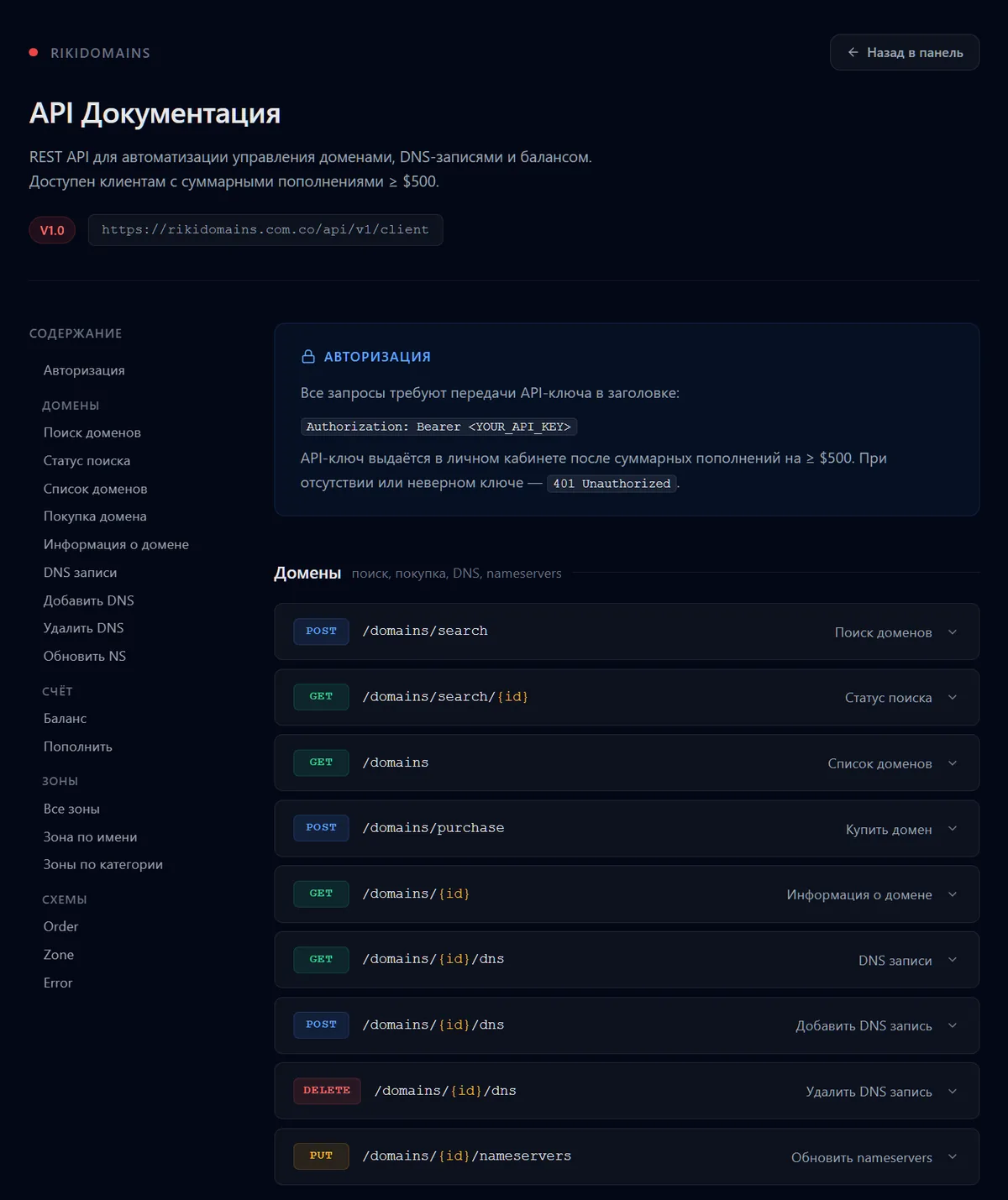
The documentation is open to everyone without logging in: rikidomains.com.co/api. It is a version 1 REST API for automation: domain search and search status, domain list, purchase, domain details, DNS records (list, add, delete), nameserver updates, balance and top-up, and a zone directory with prices. Requests are authorised with a key in the request header. The key is issued in the profile settings once the total top-ups on the account reach $500, and the progress indicator is shown there too. This is not a subscription: the money stays on the balance and is spent on domains, and the threshold filters out one-off requests. The same threshold opens the Special plan. If you need the API earlier or in another form, write to @riki_domains_support.
Register a domain in 2 minutes
1,500+ zones, WHOIS privacy on request, crypto payment and DNS management — all inside the Telegram bot.
In short
- The web panel is free and available to everyone: rikidomains.com.co.
- Log in with a code from the bot or register with a login and password, no email; two-factor authentication is available.
- Data is stored on the service's servers; the bot and the panel show the same account.
- The API and the Special plan open from $500 in total top-ups; the API documentation is public.
How the service works as a whole and what you pay for is covered in Reseller or Registrar, and What the Price Includes.
FAQ
Is the panel paid?
No. The web panel is free and available to every client. Only API access is paid: it opens once the total top-ups on the account reach $500.
Can I use the service without Telegram?
Yes. In the panel you can register with a login and password; neither email nor Telegram is required. The bot is not needed after that.
How do I log in if my account already exists in the bot?
Request a panel login code in the bot, enter it at rikidomains.com.co, and you land in the same account: the same domains, DNS records and balance.
What happens to my domains if the bot is unavailable?
Nothing. Account data is stored on the service's servers, not in Telegram, the domains are registered at the registrar and DNS works independently. Management stays in the panel, and support answers there too.
Register a domain in 2 minutes
1,500+ zones, WHOIS privacy on request, crypto payment and DNS management — all inside the Telegram bot.